How To Create The Matrix Rain In Command Prompt
Steps To Create A Matrix Rain In Command Prompt
Step 1: Open Notepad.
Step 2: Copy and paste the below code in your notepad
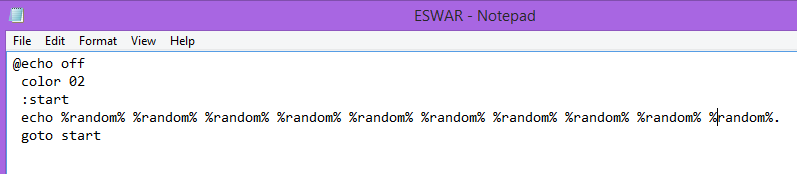
@echo off
 color 02
 :start
 echo %random% %random% %random% %random% %random% %random% %random% %random% %random% %random%.
 goto start
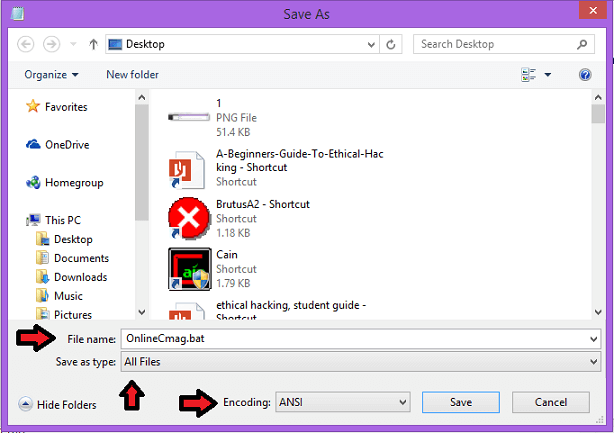
Step 3: Click on ” File ” and then ” Save As ” option. Save your file with a ” .bat ” extension i.e ” OnlineCmag.bat “.
Step 4: Run that batch file as an administrator.
To Stop The Matrix Rain:
Just press CTRL + C, Then you will be asked: ” whether to terminate the job “. Now type ” y ” to stop the program


Comments
Post a Comment